lcm lora sdv1 5
par latent-consistency
Open source · 53k downloads · 523 likes
3.4
(523 avis)ImageAPI & LocalÀ propos
Le modèle LCM LoRA pour SDv1-5 est une version optimisée de Stable Diffusion v1-5 qui accélère considérablement la génération d'images. Grâce à une technique d'adaptation par distillation, il réduit le nombre d'étapes d'inférence à seulement 2 à 8, contre plusieurs dizaines habituellement, tout en conservant une qualité visuelle élevée. Il prend en charge les tâches classiques comme la génération texte-image, l'édition d'images (image-to-image), le *inpainting* et l'utilisation avec des outils comme ControlNet, offrant ainsi une flexibilité accrue. Ce qui le distingue, c'est sa capacité à fonctionner avec des modèles dérivés de SDv1-5 tout en maintenant des performances optimales, même avec des paramètres de guidance réduits. Idéal pour les applications nécessitant rapidité et efficacité sans sacrifier la créativité.
Documentation
Latent Consistency Model (LCM) LoRA: SDv1-5
Latent Consistency Model (LCM) LoRA was proposed in LCM-LoRA: A universal Stable-Diffusion Acceleration Module by Simian Luo, Yiqin Tan, Suraj Patil, Daniel Gu et al.
It is a distilled consistency adapter for runwayml/stable-diffusion-v1-5 that allows
to reduce the number of inference steps to only between 2 - 8 steps.
| Model | Params / M |
|---|---|
| lcm-lora-sdv1-5 | 67.5 |
| lcm-lora-ssd-1b | 105 |
| lcm-lora-sdxl | 197M |
Usage
LCM-LoRA is supported in 🤗 Hugging Face Diffusers library from version v0.23.0 onwards. To run the model, first
install the latest version of the Diffusers library as well as peft, accelerate and transformers.
audio dataset from the Hugging Face Hub:
Bash
pip install --upgrade pip
pip install --upgrade diffusers transformers accelerate peft
Note: For detailed usage examples we recommend you to check out our official LCM-LoRA docs
Text-to-Image
The adapter can be loaded with SDv1-5 or deviratives. Here we use Lykon/dreamshaper-7. Next, the scheduler needs to be changed to LCMScheduler and we can reduce the number of inference steps to just 2 to 8 steps.
Please make sure to either disable guidance_scale or use values between 1.0 and 2.0.
Python
import torch
from diffusers import LCMScheduler, AutoPipelineForText2Image

model_id = "Lykon/dreamshaper-7"
adapter_id = "latent-consistency/lcm-lora-sdv1-5"

pipe = AutoPipelineForText2Image.from_pretrained(model_id, torch_dtype=torch.float16, variant="fp16")
pipe.scheduler = LCMScheduler.from_config(pipe.scheduler.config)
pipe.to("cuda")

# load and fuse lcm lora
pipe.load_lora_weights(adapter_id)
pipe.fuse_lora()


prompt = "Self-portrait oil painting, a beautiful cyborg with golden hair, 8k"

# disable guidance_scale by passing 0
image = pipe(prompt=prompt, num_inference_steps=4, guidance_scale=0).images[0]

Image-to-Image
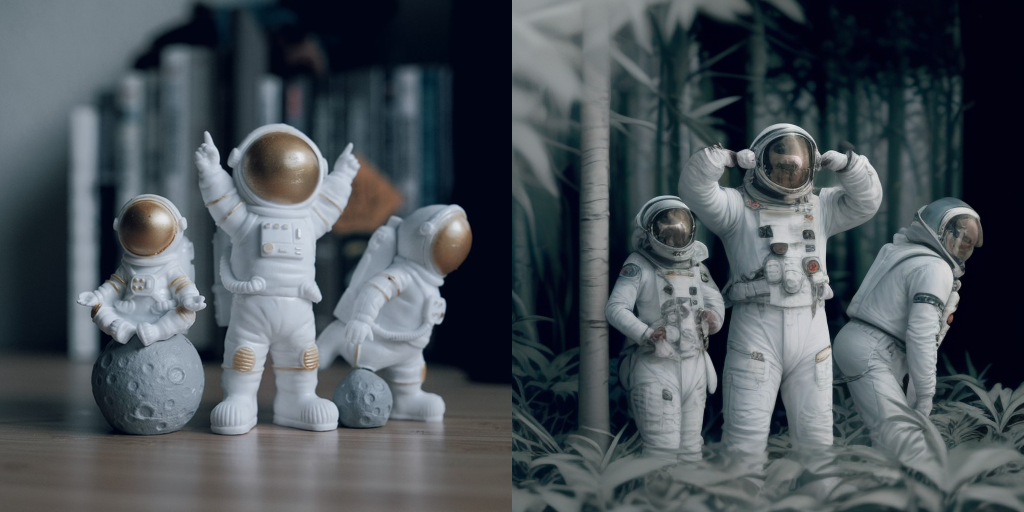
LCM-LoRA can be applied to image-to-image tasks too. Let's look at how we can perform image-to-image generation with LCMs. For this example we'll use the dreamshaper-7 model and the LCM-LoRA for stable-diffusion-v1-5 .
Python
import torch
from diffusers import AutoPipelineForImage2Image, LCMScheduler
from diffusers.utils import make_image_grid, load_image

pipe = AutoPipelineForImage2Image.from_pretrained(
    "Lykon/dreamshaper-7",
    torch_dtype=torch.float16,
    variant="fp16",
).to("cuda")

# set scheduler
pipe.scheduler = LCMScheduler.from_config(pipe.scheduler.config)

# load LCM-LoRA
pipe.load_lora_weights("latent-consistency/lcm-lora-sdv1-5")
pipe.fuse_lora()

# prepare image
url = "https://huggingface.co/datasets/huggingface/documentation-images/resolve/main/diffusers/img2img-init.png"
init_image = load_image(url)
prompt = "Astronauts in a jungle, cold color palette, muted colors, detailed, 8k"

# pass prompt and image to pipeline
generator = torch.manual_seed(0)
image = pipe(
    prompt,
    image=init_image,
    num_inference_steps=4,
    guidance_scale=1,
    strength=0.6,
    generator=generator
).images[0]
make_image_grid([init_image, image], rows=1, cols=2)
Inpainting
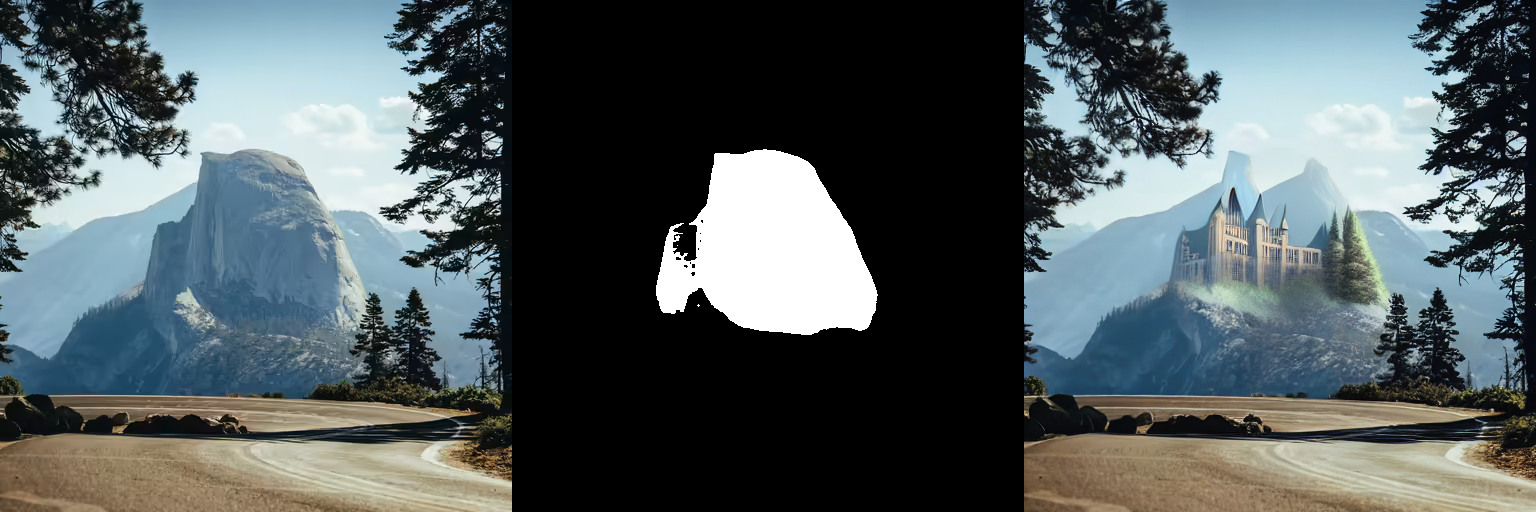
LCM-LoRA can be used for inpainting as well.
Python
import torch
from diffusers import AutoPipelineForInpainting, LCMScheduler
from diffusers.utils import load_image, make_image_grid

pipe = AutoPipelineForInpainting.from_pretrained(
    "runwayml/stable-diffusion-inpainting",
    torch_dtype=torch.float16,
    variant="fp16",
).to("cuda")

# set scheduler
pipe.scheduler = LCMScheduler.from_config(pipe.scheduler.config)

# load LCM-LoRA
pipe.load_lora_weights("latent-consistency/lcm-lora-sdv1-5")
pipe.fuse_lora()

# load base and mask image
init_image = load_image("https://huggingface.co/datasets/huggingface/documentation-images/resolve/main/diffusers/inpaint.png")
mask_image = load_image("https://huggingface.co/datasets/huggingface/documentation-images/resolve/main/diffusers/inpaint_mask.png")

# generator = torch.Generator("cuda").manual_seed(92)
prompt = "concept art digital painting of an elven castle, inspired by lord of the rings, highly detailed, 8k"
generator = torch.manual_seed(0)
image = pipe(
    prompt=prompt,
    image=init_image,
    mask_image=mask_image,
    generator=generator,
    num_inference_steps=4,
    guidance_scale=4,
).images[0]
make_image_grid([init_image, mask_image, image], rows=1, cols=3)
ControlNet
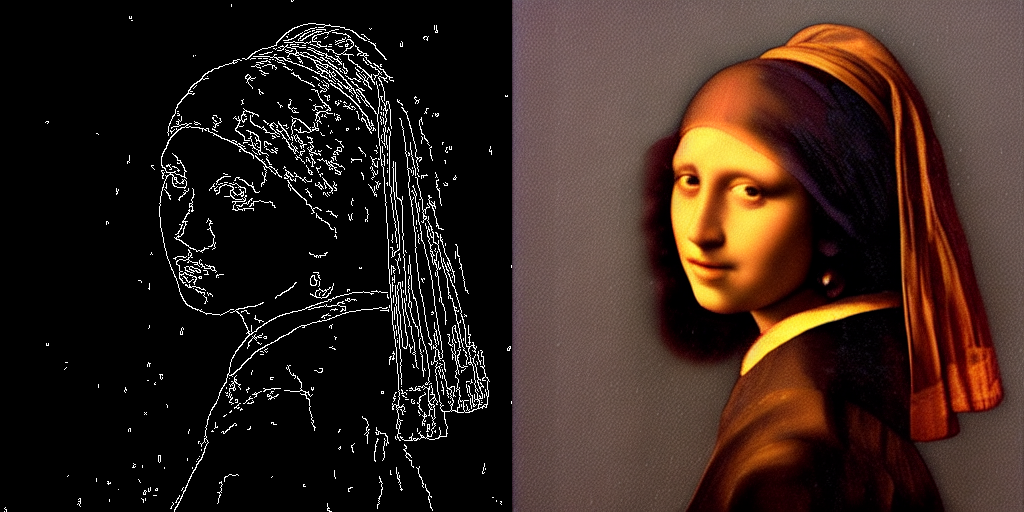
For this example, we'll use the SD-v1-5 model and the LCM-LoRA for SD-v1-5 with canny ControlNet.
Python
import torch
import cv2
import numpy as np
from PIL import Image

from diffusers import StableDiffusionControlNetPipeline, ControlNetModel, LCMScheduler
from diffusers.utils import load_image

image = load_image(
    "https://hf.co/datasets/huggingface/documentation-images/resolve/main/diffusers/input_image_vermeer.png"
).resize((512, 512))

image = np.array(image)

low_threshold = 100
high_threshold = 200

image = cv2.Canny(image, low_threshold, high_threshold)
image = image[:, :, None]
image = np.concatenate([image, image, image], axis=2)
canny_image = Image.fromarray(image)

controlnet = ControlNetModel.from_pretrained("lllyasviel/sd-controlnet-canny", torch_dtype=torch.float16)
pipe = StableDiffusionControlNetPipeline.from_pretrained(
    "runwayml/stable-diffusion-v1-5",
    controlnet=controlnet,
    torch_dtype=torch.float16,
    safety_checker=None,
    variant="fp16"
).to("cuda")

# set scheduler
pipe.scheduler = LCMScheduler.from_config(pipe.scheduler.config)

# load LCM-LoRA
pipe.load_lora_weights("latent-consistency/lcm-lora-sdv1-5")

generator = torch.manual_seed(0)
image = pipe(
    "the mona lisa",
    image=canny_image,
    num_inference_steps=4,
    guidance_scale=1.5,
    controlnet_conditioning_scale=0.8,
    cross_attention_kwargs={"scale": 1},
    generator=generator,
).images[0]
make_image_grid([canny_image, image], rows=1, cols=2)
Speed Benchmark
TODO
Training
TODO
Liens & Ressources