sdxl instructpix2pix 768
by diffusers
Open source · 8k downloads · 56 likes
2.2
(56 reviews)ImageAPI & LocalAbout
SDXL InstructPix2Pix is an AI-based image editing model capable of transforming an existing image according to a precise textual instruction. It combines the power of Stable Diffusion XL with the InstructPix2Pix method, enabling targeted modifications such as changing a sky to a cloudy one, applying an artistic style, or altering visual attributes like a person’s age. This model excels in creative retouching and contextual adjustments, offering remarkable flexibility for a variety of uses, from artistic enhancement to detail correction. What sets it apart is its ability to interpret complex instructions while preserving the overall coherence of the image, making it particularly well-suited for projects requiring subtle or radical modifications.
Documentation
SDXL InstructPix2Pix (768768)
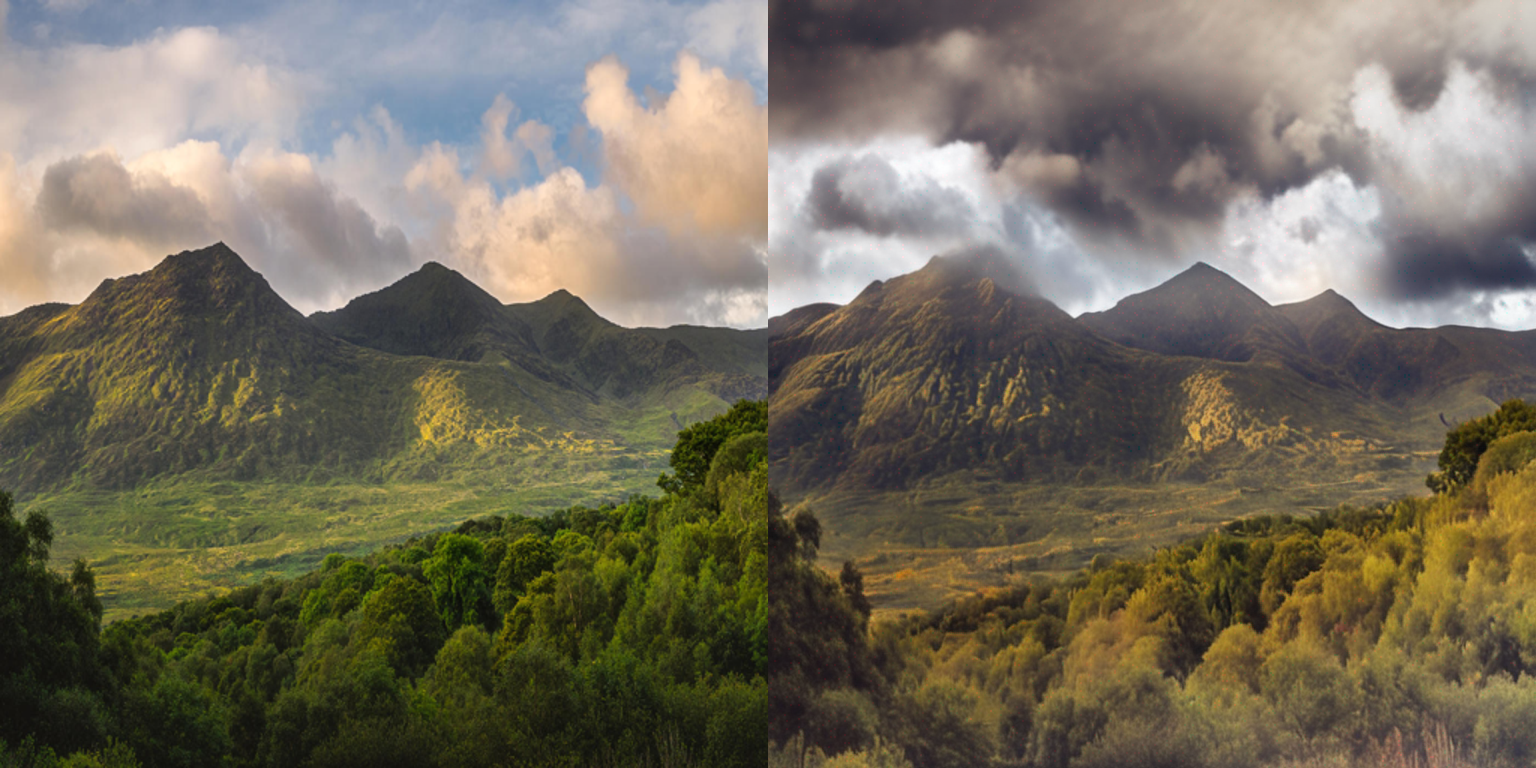
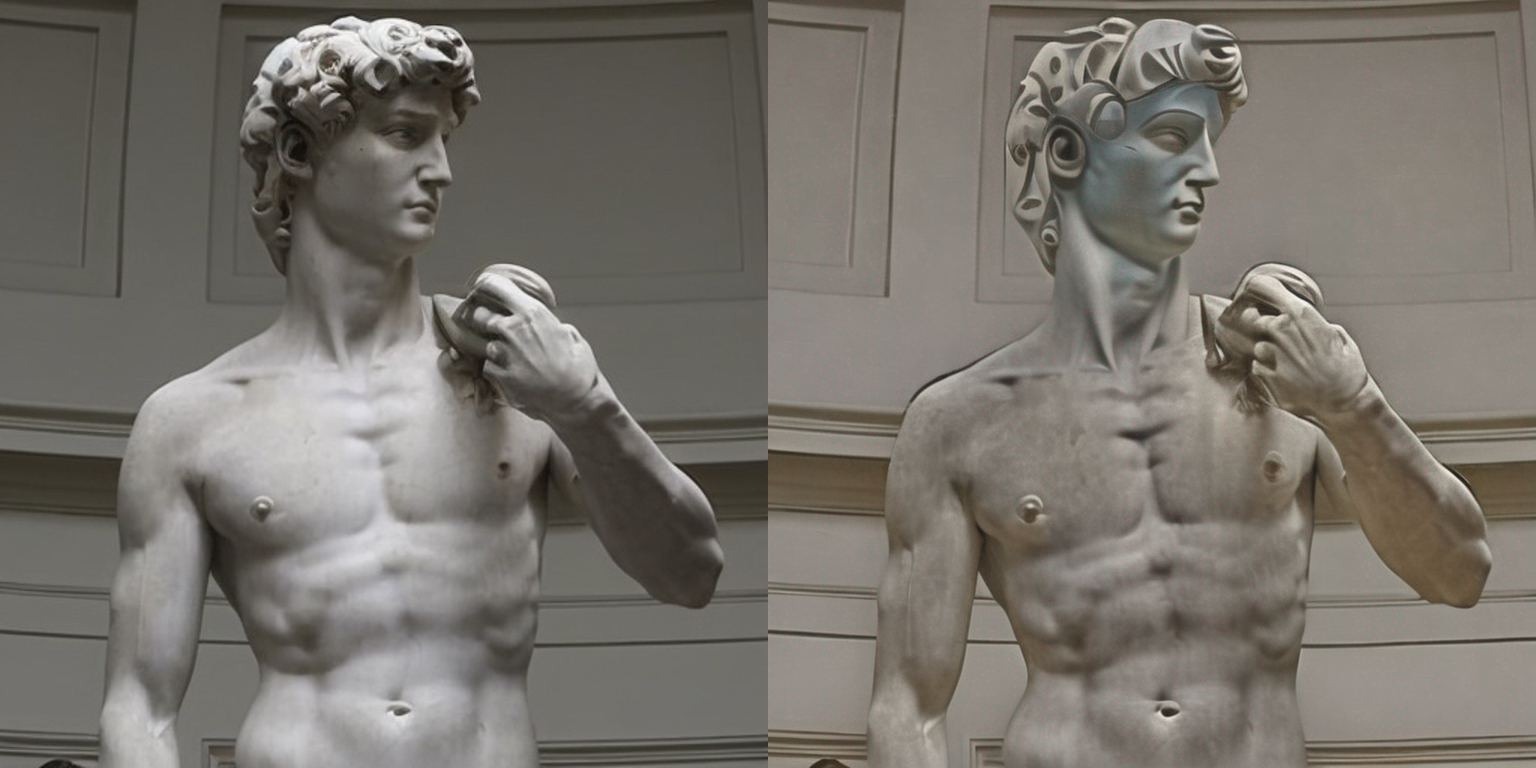
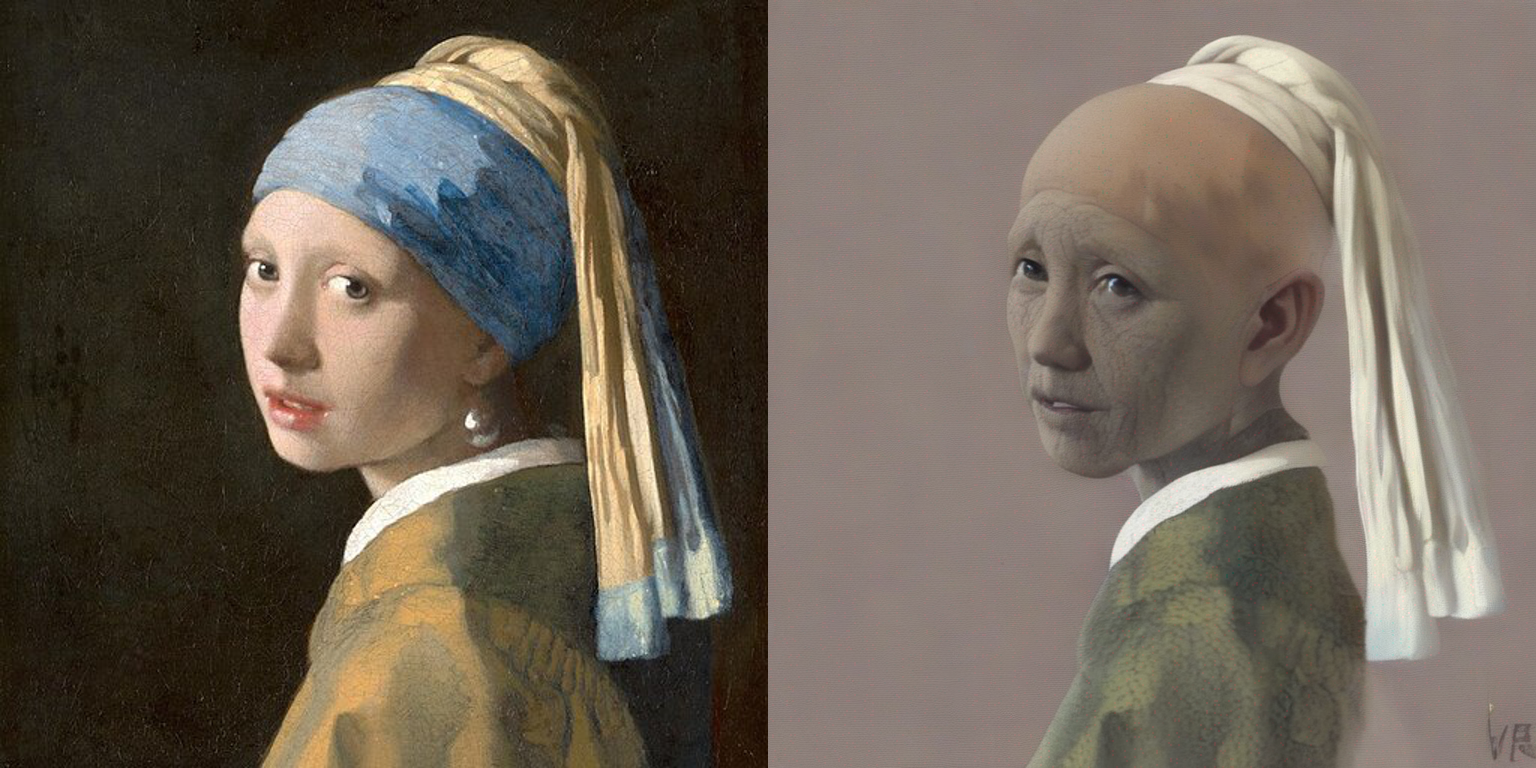
Instruction fine-tuning of Stable Diffusion XL (SDXL) à la InstructPix2Pix. Some results below:
Edit instruction: "Turn sky into a cloudy one"
Edit instruction: "Make it a picasso painting"
Edit instruction: "make the person older"
Usage in 🧨 diffusers
Make sure to install the libraries first:
Bash
pip install accelerate transformers
pip install git+https://github.com/huggingface/diffusers
Python
import torch
from diffusers import StableDiffusionXLInstructPix2PixPipeline
from diffusers.utils import load_image

resolution = 768
image = load_image(
    "https://hf.co/datasets/diffusers/diffusers-images-docs/resolve/main/mountain.png"
).resize((resolution, resolution))
edit_instruction = "Turn sky into a cloudy one"

pipe = StableDiffusionXLInstructPix2PixPipeline.from_pretrained(
    "diffusers/sdxl-instructpix2pix-768", torch_dtype=torch.float16
).to("cuda")

edited_image = pipe(
    prompt=edit_instruction,
    image=image,
    height=resolution,
    width=resolution,
    guidance_scale=3.0,
    image_guidance_scale=1.5,
    num_inference_steps=30,
).images[0]
edited_image.save("edited_image.png")
To know more, refer to the documentation.
🚨 Note that this checkpoint is experimental in nature and there's a lot of room for improvements. Please use the "Discussions" tab of this repository to open issues and discuss. 🚨
Training
We fine-tuned SDXL using the InstructPix2Pix training methodology for 15000 steps using a fixed learning rate of 5e-6 on an image resolution of 768x768.
Our training scripts and other utilities can be found here and they were built on top of our official training script.
Our training logs are available on Weights and Biases here. Refer to this link for details on all the hyperparameters.
Training data
We used this dataset: timbrooks/instructpix2pix-clip-filtered.
Compute
one 8xA100 machine
Batch size
Data parallel with a single gpu batch size of 8 for a total batch size of 32.
Mixed precision
FP16
Capabilities & Tags
diffuserssafetensorsstable-diffusion-xlstable-diffusion-xl-diffuserstext-to-imageinstruct-pix2pix
Links & Resources